

The best membership platform is the one that matches how you sell. If members mostly consume lessons, pick a course-first tool. If they mostly talk to each other, pick a community-first tool. If you sell a $1,000 to $10,000 offer and want checkout, funnel, content and billing in one account, pick a platform that handles all four. Below we compare Kajabi, Mighty Networks, Circle, MemberPress and our own platform, Commas, on the criteria that matter once you already have paying customers.
TL;DR
- Decide first whether your membership is course-first or community-first. Most platforms lean one way, and that choice narrows the list fast.
- For a high-ticket offer, billing matters more than design: failed-payment recovery, payment plans and a clean checkout protect revenue.
- Check whether the platform lets you keep your own customer and payment records, because that decides how painful a future migration is.
- Compare total cost at your revenue level, not the entry plan. Higher monthly fees often lower the percentage a platform takes.
- Commas fits sellers who want funnels, checkout, courses, paid groups, webinars and affiliates in one place instead of five tools.
Table of Contents
- What a membership platform has to do for a high-ticket seller
- Course-first or community-first
- The platforms compared
- Features that matter more than the feature list
- How a membership sales funnel works
- Keeping members once they join
- Our perspective
- Where Commas fits
- How to choose in five steps
- Setting up your membership site
- FAQ
- Sources
What a membership platform has to do for a high-ticket seller
A $20 a month newsletter membership and a $5,000 coaching program with a private community are different businesses. The first can live with a basic paywall. The second needs a sales path before the purchase, reliable billing during it, and delivery and community after it.
That gives you five jobs to test any platform against:
- Sell. A landing page or funnel, a checkout, upsells and payment plans.
- Collect. Recurring billing, retries when a card fails, and handling of taxes.
- Deliver. Courses, content, live sessions or all three.
- Connect. A space where members talk to you and to each other.
- Measure. Reports that show which step loses buyers and which members are drifting away.
Most platforms do two or three of these well and expect you to bolt on the rest. That is where fragmented software stacks come from, and where revenue leaks between tools.
Course-first or community-first
One comparison of creator membership tools makes the point that the right platform often depends on whether you need a community where members interact or a course-first platform for delivery. It is the most useful single filter.
Course-first suits you if members follow a curriculum, you drip lessons, and the community is a support channel. Community-first suits you if the value is access to peers, events and ongoing conversation, and the content is secondary. High-ticket coaching and mastermind offers usually need both, which is why bundled platforms keep gaining ground.
The platforms compared
One professional comparison of recurring revenue tools frames the field this way: Kajabi as all-in-one, Mighty Networks as community-driven, Circle for professional communities, and MemberPress as a WordPress plugin. We use the same four as a baseline and add Commas.
| Platform | Leans toward | Best fit | Watch for |
|---|---|---|---|
| Kajabi | Course-first, all-in-one | Established course businesses that want one suite | Plan limits and fees as your member count grows |
| Mighty Networks | Community-first | Memberships where peer interaction is the product | Course and funnel depth |
| Circle | Community-first, professional | Paid communities for professionals and cohort programs | Selling and funnel tools may need other apps |
| MemberPress | Content gating | Teams already running WordPress who want control | You manage hosting, plugins, security and updates |
| Commas | Selling and billing first, with courses and groups | Sellers of $1,000 to $10,000 offers who want funnel, checkout, delivery and community together | Best when you want one account rather than a patchwork |
Prices change often, so confirm current plans and transaction fees on each vendor's own pricing page before you commit. Blog roundups go stale quickly, and one comparison notes that higher monthly fees buy down the percentage take, which makes them a better fit as revenue grows.
Kajabi
Kajabi is the name most course sellers already know. It bundles content delivery, landing pages, email and checkout, so a team without developers can run a full business from one login. The research we reviewed describes it as the all-in-one choice. Industry analysis also notes that AI-driven personalization and churn prediction tools in platforms like Kajabi are increasingly important for retention.
It is a strong pick if your offer is mainly a course and you want a familiar suite. Look closely at plan tiers and limits before you scale.
Mighty Networks
Mighty Networks puts the community at the center. Members get profiles, feeds, groups and events, and courses sit alongside them. If your promise is "join the room," it matches that. If your promise is a structured transformation sold through a funnel, expect to pair it with other tools for the sales side. We wrote a deeper look at pricing cliffs and architecture in Circle versus Mighty Networks if you are weighing those two.
Circle
Circle is built for communities run by professionals, such as cohort programs, associations and paid peer groups. It looks clean and is quick to organize into spaces. As with Mighty Networks, the sales and funnel layer is something you should test carefully against your needs before assuming it is covered.
MemberPress
MemberPress is a plugin that adds membership rules to a WordPress site. It gives you ownership and flexibility, and it suits teams with a developer or a technical operator. The tradeoff is upkeep. You handle hosting, security, plugin conflicts and the payment gateway setup yourself. That is a fair price for control, but a poor fit if nobody on your team wants to maintain a site.
Commas
Commas puts payments, funnels, product delivery and community in one account. You can build an offer page with Vibe Funnels, our AI funnel builder, deliver lessons through Online Courses, and run a branded space through Paid Groups. Webinars with checkout, an affiliate center and agency billing sit in the same dashboard. Commas runs payments through regulated payment partners, and the platform supports one-click payments, buy now pay later and subscriptions.
The tradeoff is focus. Commas is built around selling and getting paid, so it suits you best if revenue operations are your bottleneck, not if you only need a simple discussion board.
Features that matter more than the feature list
Every vendor page lists courses, communities and integrations. The differences that cost or save money are narrower.
Billing and failed payments
One 2026 checklist lists automated recurring billing, dunning for failed payments and proration among the essentials for revenue stability. The same source says automated retries can recover 20 to 40 percent of failed payments. Treat that as a vendor-blog estimate, not a guarantee, but the direction is clear: on a $3,000 plan split into monthly payments, one declined card is a real loss, and a retry schedule is cheap protection.
Ask each vendor how retries work, whether members get an email to update their card, and whether you can pause instead of cancel. Our guide on dunning for subscriptions walks through a 30-day plan, and the piece on recurring billing for $1,000 to $10,000 course buyers covers payment plans.
Payment plans and checkout
High-ticket buyers often want to split the price. A platform that offers one-click payments, installment plans and buy now pay later in the checkout itself removes a step where buyers hesitate. If it does not, you end up sending them to a separate payment page, and some will not come back.
Upsells and bundles
Membership bundles, such as a course plus a community plus a coaching call, are easier to sell when the checkout supports order bumps and post-purchase upsells. Check that you can attach an upsell without a third-party funnel tool.
Tax handling
If you sell internationally, the checklist above notes that membership sites need tax handling such as VAT for the EU or GST for Australia. Ask the vendor what it collects and remits and what stays your responsibility. For US subscription rules, read our overview of billing and click to cancel rules.
Ownership of your customer records
One comparison argues that platforms that connect to your own Stripe account give you better control of the customer payment ledger, which simplifies a future move. Before signing, ask a blunt question: if I leave in two years, what can I export, and can existing subscriptions move with me?
How a membership sales funnel works
A membership funnel has four stages, and a good platform helps at each.
- Attract. A webinar, a lead magnet or an ad sends people to a page. Webinars with checkout built in shorten the path from watching to buying.
- Qualify. For a $5,000 offer, not every lead should get a call. A short application or qualifier filters before your calendar fills.
- Convert. A focused offer page, a checkout with payment plans, and one or two upsells.
- Retain. Onboarding, a first win in the first week, and a billing system that catches failed cards.
Most leaks happen between stages 3 and 4. Someone buys, then gets a confusing welcome, never logs in and cancels or disputes the charge. Whatever platform you pick, map your own funnel on paper first and check each step has a home in the tool.
Keeping members once they join
Retention is where memberships make or lose money. Two habits help most. First, define what an active member looks like, such as attending one live session or finishing a module, and track who falls short in the first 14 days. Second, contact those members personally before they go quiet.
If you want a broader framework, these customer retention strategies are worth reading alongside our own 30-day retention tests and our course community strategy for $1K to $10K offers.
Our perspective
We build Commas, so we have a bias, and we will say it plainly: for sellers of $1,000 to $10,000 offers, the platform that lets you sell and get paid cleanly usually matters more than the one with the prettiest community feed.
Here is what we see. Established sellers rarely fail for lack of content. They lose revenue in the gaps: a funnel tool that does not talk to the checkout, a checkout that does not talk to the community, a failed card nobody follows up on. Each extra app is another login, another integration to maintain and another place a buyer can drop out.
So we built one account where the funnel, checkout, courses, paid groups, webinars and affiliates share the same buyer record. We use AI to build funnels from patterns that already work, so you start from a structure rather than a blank page. We do not promise a particular result, because offers, audiences and prices differ. We do think that fewer moving parts make problems easier to find.
If your business is community-only and sells at a low price, a community-first tool may be all you need. If you are selling high-ticket and running on four or five apps, consolidation is worth a serious look.

Where Commas fits
If your current setup splits the funnel, the checkout and the community across different tools, Commas puts them in one dashboard. Start with Commas Studios for courses and community in one place, then add Commas Payments for checkout, payment plans and subscription billing, or the Commas Affiliate Center if partners sell for you.
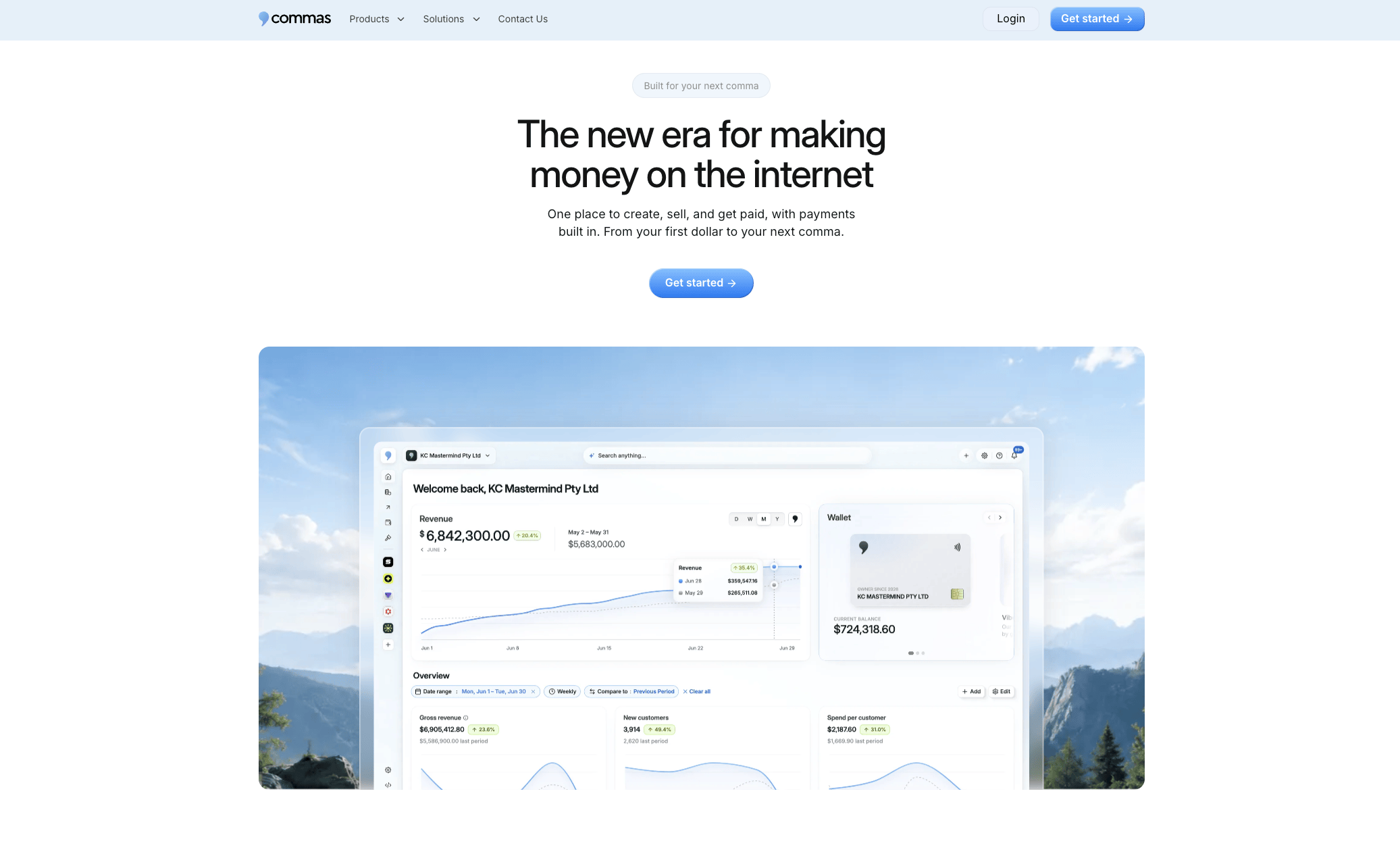
Agencies and service businesses that bill clients on retainers can also look at agency billing and payments. There is no published price on our offer pages, so talk to us or book a demo for current terms.
How to choose in five steps
- Write down your offer. Price, delivery format and whether members need each other.
- Pick your lean. Course-first, community-first or both.
- List your billing needs. Payment plans, subscriptions, retries, taxes and refunds.
- Cost it at your size. Model your real revenue and member count on each vendor's pricing page, including transaction fees and plan limits.
- Test the exit. Ask what you can export and how subscriptions move.
If you want a deeper billing comparison, see our guide to the best subscription software for sellers of $1,000+ offers. To get a payments setup live, launching compliant subscription payments in 30 to 90 days outlines the steps.
Setting up your membership site
Setup goes faster when you decide three things before you touch a tool. First, your tiers: most high-ticket sellers do well with one core offer and one lower-priced continuation membership, instead of five tiers. Second, your content calendar for the first 30 days, so new members always have a next step. Third, your billing terms: price, payment plan options, refund policy and cancellation path, written in plain language on the checkout page.
Then build in this order: the offer page and checkout, the welcome email and onboarding, the member area, and last, the community rules. Run a test purchase with a real card before you send traffic.

FAQ
What is the best membership platform for a high-ticket course?
It depends on whether your program is course-first or community-first. For a $1,000 to $10,000 offer, prioritize checkout, payment plans and failed-payment recovery as well as content delivery. Kajabi, Mighty Networks, Circle, MemberPress and Commas each lean differently, so match the lean to your offer.
Can I use WordPress instead of a hosted platform?
Yes. A plugin such as MemberPress gates content on a WordPress site and gives you control. You also take on hosting, updates, security and payment setup, so it works best if someone on your team enjoys maintaining a site.
How do I sell memberships online?
Create an offer page, connect a checkout that supports recurring billing, and deliver content or community access automatically after payment. Add a welcome sequence and a failed-payment process before you drive traffic.
What should I check about payments before choosing?
Check which payment methods and installment options the checkout supports, how failed cards are retried, and how taxes are handled for your buyers' regions. Also ask whether you can export customer and subscription data if you leave.
Sources
- Best Membership Site Platforms (2026), Recurring Revenue
- Paid Membership Program Platform Market
- Essential Membership Site Features: The Complete 2026 Checklist
- Creator Membership Platforms Compared
- Creator membership platforms compared in 2026