

A one-click upsell is a post-purchase offer a shopper accepts with a single tap, adding another item to the order they just placed without re-entering payment details. It works because the card is already saved and the store simply edits the existing order. For most Shopify merchants running more than a handful of orders a day, testing one is worth the setup time. It's one of the lowest-effort ways to lift average order value without touching your ad budget.
TL;DR:
- The success of one-click upsells heavily depends on having a saved payment card on file, excluding options like PayPal or BNPL that lack reusable tokens.
- Timely offers immediately after payment outperform delayed follow-ups, especially when personalized to the customer's recent purchase.
- Testing should focus on single variables such as price, copy, or timing over extended periods to identify what genuinely increases conversion without harming checkout rates.
- Tracking attach rate, incremental AOV, and refund rates is crucial to evaluate whether upselling improves revenue without increasing customer complaints.
- Using integrated tools that combine payment handling and funnel building reduces setup time and simplifies the testing and optimization process.
Table of Contents
- How One-Click Upsells Actually Work on Shopify
- Why the Post-Payment Moment Converts So Well
- Setting Up One-Click Upsells on Shopify: A Step-by-Step Checklist
- Upsell, Cross-Sell, and Downsell Examples Worth Copying
- Testing and Optimizing Your Upsell Offers Over Time
- What to Track: Attach Rate, AOV Lift, and Refund Risk
- How Commas Makes One-Click Upsells Easier to Build and Test
- What Actually Moves the Needle With One-Click Upsells
- Sources
How One-Click Upsells Actually Work on Shopify
The trick behind a one-click upsell is that the customer never touches a payment field twice. Their card was already charged for the original order, and the app simply modifies that same order behind the scenes rather than opening a second checkout. Developers call this a "changeset": the offer, once accepted, gets appended to the original order data during a short hold window before the order finalizes.
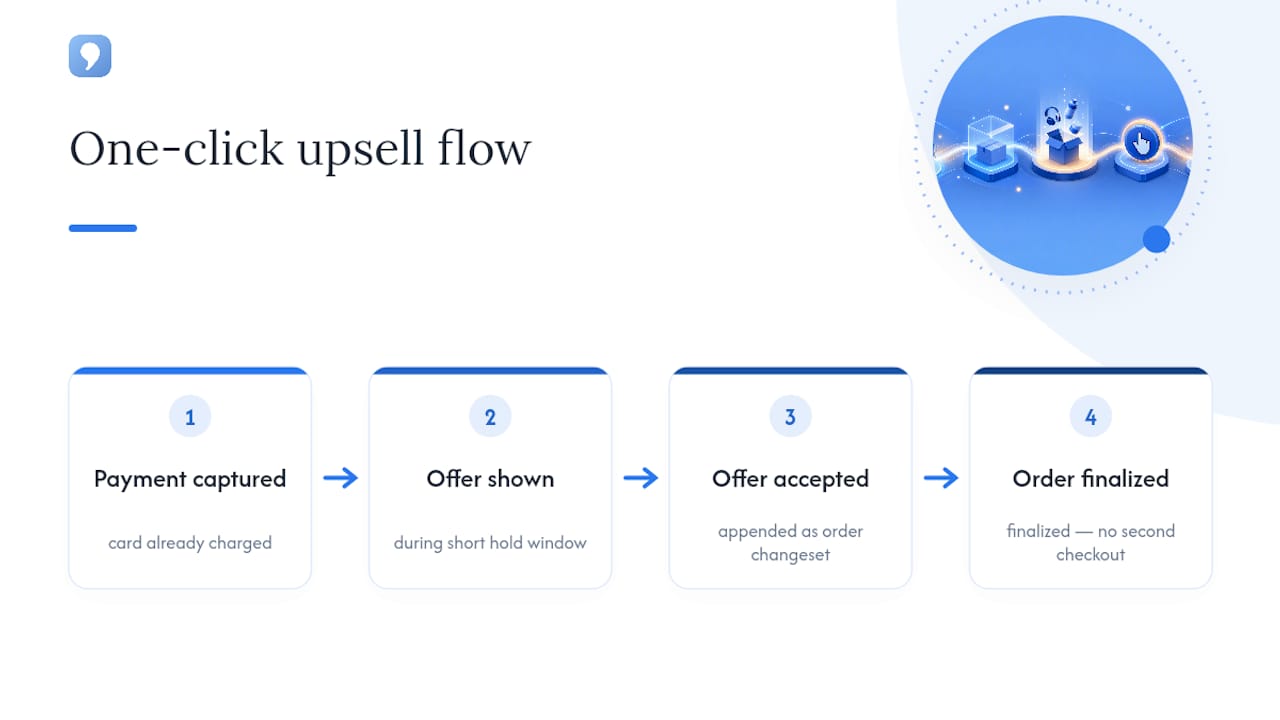
That's why the saved-card requirement is non-negotiable. If there's no card on file for that transaction, there's nothing to charge again, and the offer can't render. This is also why certain payment types get excluded automatically. PayPal, most Buy Now, Pay Later providers, and cash-on-delivery flows don't leave a reusable payment token behind, so Shopify simply skips the post-purchase slot for those orders.
The offer itself appears in a specific spot: after payment is captured, but before the customer reaches the order confirmation page. That's a narrow window, and Shopify limits how many offers can stack there before conversion starts dropping and load times suffer. Plus merchants get more native flexibility here (custom checkout extensibility, script-level control), while non-Plus stores generally lean on apps that plug into the same post-purchase API. Either way, the mechanics are identical: same order, same card, no second checkout.
Why the Post-Payment Moment Converts So Well
Buyer intent peaks in the seconds right after someone pays. They've already decided to spend money and handed over their card. Adding one more item feels like a small decision instead of a new purchase, which is why immediate post-payment timing outperforms delayed offers like email follow-ups almost every time.
Relevance does the rest of the work. An offer tied directly to what someone just bought reads as a helpful suggestion. An unrelated one reads as a sales tactic, and personalization built around what the customer actually needs consistently outperforms generic offers.
Perceived risk is the main reason shoppers decline, according to Salesforce's research on upselling behavior. You reduce that risk a few concrete ways:
- Add a visible social-proof line ("bought by 40% of customers who ordered this")
- Offer a small, time-boxed discount instead of full price
- State the benefit in one sentence, not a feature list
- Cap the offer to a single tap, no forms, no extra fields
Skip upselling customers who bought on clearance, used a heavy discount code, or are flagged as high refund risk. Those segments rarely convert and often just add friction to an already fragile sale.
Setting Up One-Click Upsells on Shopify: A Step-by-Step Checklist
Getting a post-purchase offer live takes less time than most merchants expect, but skipping a step usually means silent failures. Here's the order that actually works.
- Pick your method. Choose a post-purchase upsell app from the Shopify App Store, or use built-in checkout extensibility if you're on Plus. Grant only the permissions it needs (order edit, product read, checkout access) and review what data it's pulling before going live.
- Build the offer. Select one or two products max, set a price or discount (10 to 20% off tends to perform well without eating margin), and write copy around a single benefit rather than a spec sheet. Add a product image and, if relevant, a countdown or limited-stock note.
- Configure fulfillment. Confirm the app edits the same order rather than creating a second one, that inventory gets reserved the moment the offer is accepted, and that your packing slips and shipping labels update to include the new line item.
- Test with real transactions. Place a live low-value order using a saved card to confirm the offer renders. Then test with PayPal or a BNPL option to confirm the offer correctly does not appear, since those flows lack a saved payment method.
- Watch for common failures. No saved card means no offer, full stop. Order edits that lag by more than a few seconds usually mean an app conflict. If two upsell apps are installed at once, check their priority settings since only one can usually control the post-purchase slot.
Pro Tip: Run your first test order with a card that has a small available balance. If the upsell fails silently, you'll know immediately instead of finding out from a customer complaint three weeks later.
Upsell, Cross-Sell, and Downsell Examples Worth Copying
The offer type matters less than how tightly it maps to what someone just bought. A few templates that consistently perform:
- Digital products: Someone buys a course. Offer a "Pro" upgrade with bonus modules at a reduced bundle price, framed around time saved, not feature count.
- Physical retail: Someone buys a camera. Offer an extended warranty or a compatible accessory bundle, and mention faster shipping as part of the pitch if you can fulfill it.
- Subscriptions: Someone signs up for a base tier. Offer the next tier up at a discounted first month, since the psychological jump from monthly-to-monthly feels smaller than annual commitments.
- Downsells: If someone declines the upsell, show a cheaper version of the same offer instead of letting the moment disappear entirely, recovering some of that lost margin.
The common thread across all four: state the outcome, not the feature list. Quantified benefits outperform generic pitches whether you're selling a $30 accessory or a $300 course upgrade.
Testing and Optimizing Your Upsell Offers Over Time
Treat your upsell like any other conversion surface, meaning test one variable at a time and let each test run long enough to mean something. Changing price, copy, and image simultaneously tells you nothing about which change actually moved the needle.
Test in this order, since each one tends to move conversion more than the last:
- Price and discount depth — a 15% discount versus no discount at all often shows the biggest swing
- Headline copy — benefit-first phrasing versus feature-first phrasing
- Product image — lifestyle shot versus plain product photo
- Offer timing — immediate display versus a two-second delay
HubSpot's research on upselling recommends proving value fast and testing single variables rather than running compound experiments that muddy your results. Small, fast experiments on price and copy should run first, with sitewide rollout reserved for changes that show a clear, sustained lift.
Personalization signals worth layering in once your baseline test is stable: what the customer bought (product-specific offers beat generic ones), which segment they belong to (first-time buyer versus repeat customer), and their historical order value. A tool that pulls in purchase-intent and behavioral data can sharpen which offer shows to which shopper.
Set a guardrail before you scale anything: if accepting the offer measurably slows page load or drops your core checkout completion rate, pause the test regardless of how well the upsell itself performs. The original sale always outranks the add-on.
What to Track: Attach Rate, AOV Lift, and Refund Risk
Three numbers tell you whether your upsell program is actually working. Attach rate is the percentage of eligible orders that accept the offer. Incremental AOV is the dollar lift the upsell adds across all orders, accepted or not, since even a modest attach rate compounds at scale. Offer conversion rate measures how the specific offer performs against traffic reaching that step.
Xero's guide to upselling techniques recommends watching two secondary signals just as closely: refund and return rate on orders that included an upsell, and any shift in repeat purchase rate. A rising refund rate on upsold orders, a spike in customer complaints, or an uptick in chargebacks are all red flags that the offer is either misleading or poorly matched to the buyer, and any of them is reason enough to pause and rework the offer.
How Commas Makes One-Click Upsells Easier to Build and Test
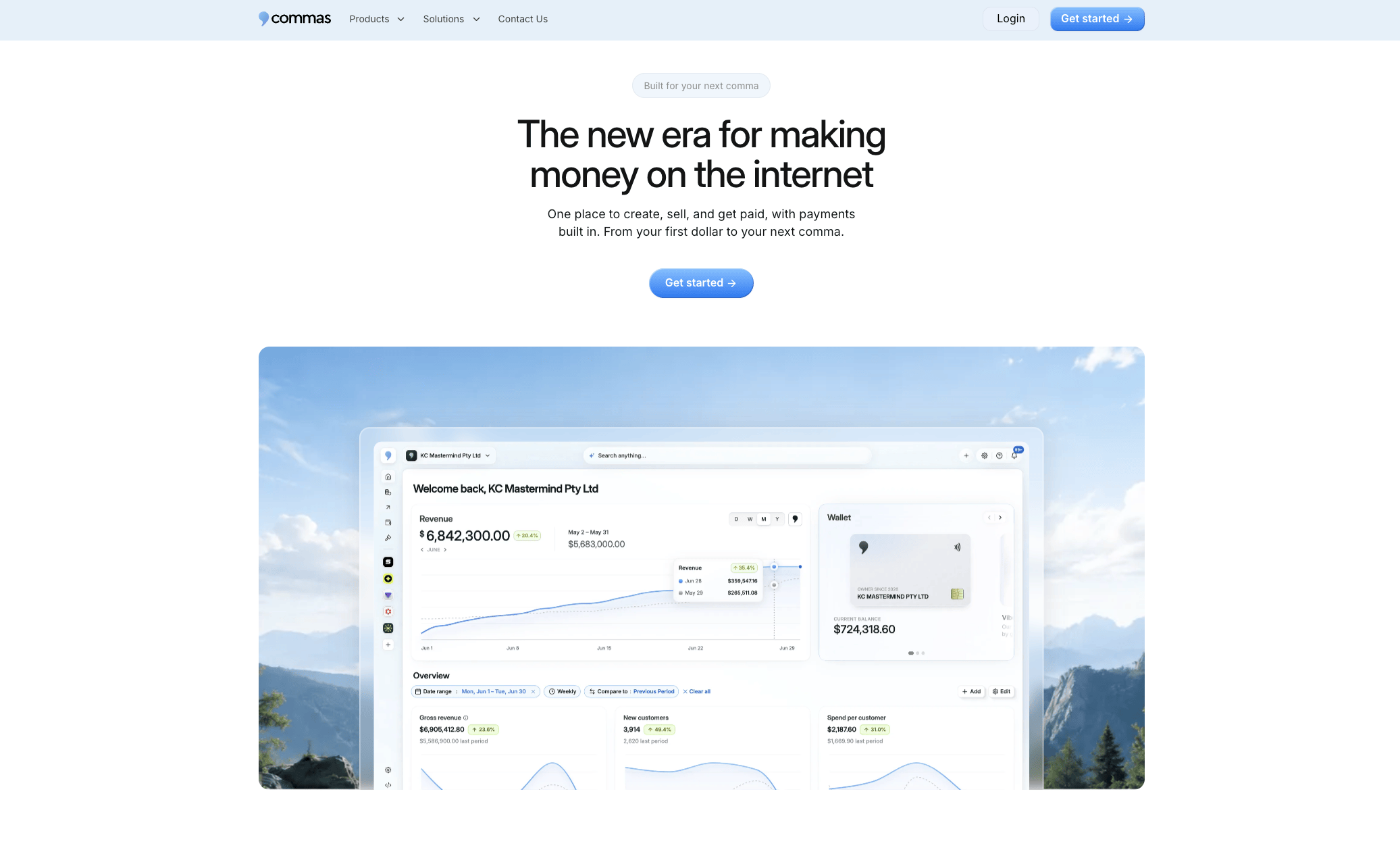
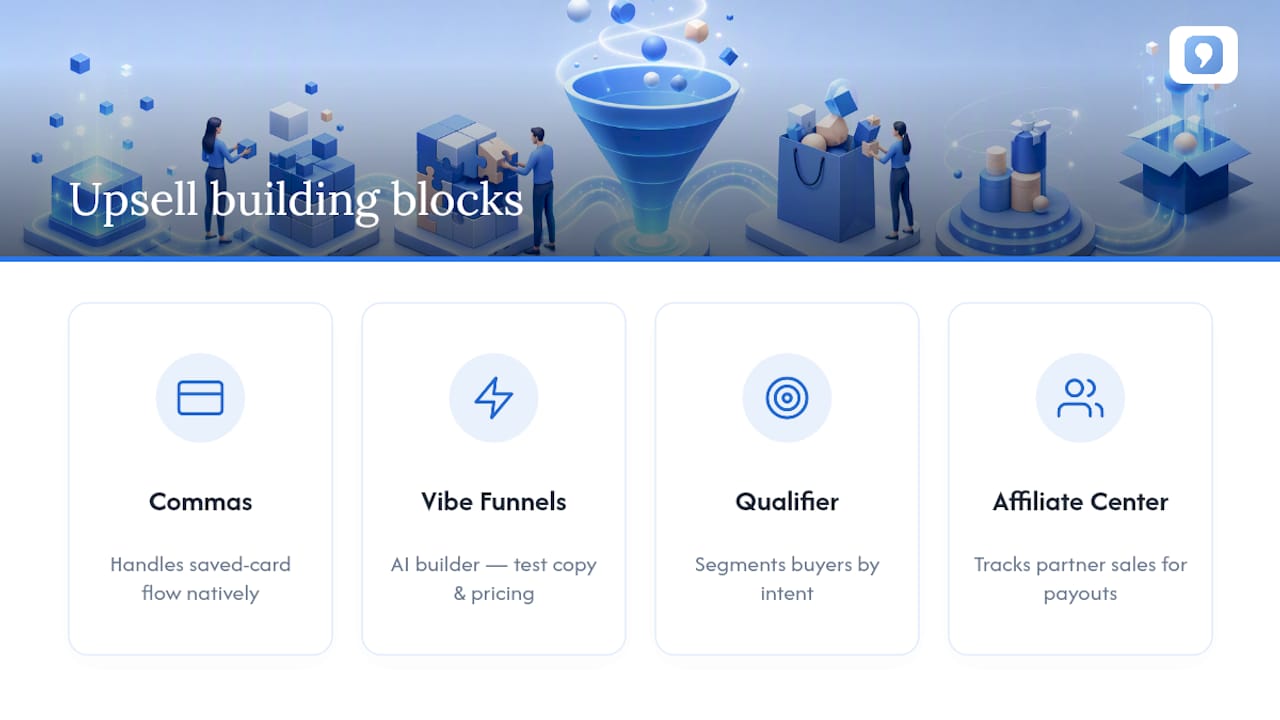
Everything covered above, the offer setup, the order editing, the testing cycle, gets a lot faster when your payments and funnel builder live in one place instead of three different apps fighting for the same checkout step. Commas' payment infrastructure handles the saved-card flow natively, so the upsell slot works the way it's supposed to without stitching together a separate app just to catch payment tokens.
Building the actual offer is where Vibe Funnels comes in. It's an AI funnel builder that helps you design the post-purchase step, test different copy and pricing without touching code, and apply patterns that already convert instead of guessing from scratch. If you're selling access to a live event or webinar, checkout built directly into the room means the upsell can happen mid-session instead of after the fact. And if you want to know who's likely to accept an upgrade before you ever show them the offer, Qualifier helps segment buyers by intent so you're not upselling clearance shoppers who were never going to say yes.
If you're running upsells through partners or affiliates, the Affiliate Center tracks who's driving those incremental sales so you can pay out accurately. Start with a single funnel and a single offer. Try Commas and see how much setup time disappears when payments, funnel building, and testing live under one dashboard.
What Actually Moves the Needle With One-Click Upsells
Three things stand out after digging through how these offers perform in practice. Timing beats almost everything else, since the moment right after payment is the single highest-intent window a merchant gets all order. Simplicity beats cleverness, since a one-tap accept with a clear benefit outperforms a discount-stacked offer with three add-ons. And deliberate testing beats intuition, since the merchants who see real lift are the ones running single-variable tests, not the ones who set an offer once and forget it.
For your first 30 days: install one post-purchase tool, launch exactly one offer, run a price test against your baseline, watch refund rates weekly, and adjust copy before you touch price again. Keep the offer's value claim honest. Customers accept upsells fast, but they remember being misled even faster.
— FanBasis
Sources
- What Is Upselling? The Ultimate Guide – Forbes Advisor
- One-Click Upsell After Checkout: How It Works on Shopify (2026)
- Post-purchase upsell — Yotpo blog
- 10 upselling strategies for 2025 that don’t feel salesy HubSpot
- Upselling techniques: proven strategies to grow your revenue | Xero US